


Post-Processing Analysis pt.3 - Creating the Pixel Shader

Research Summary
This research explores post-processing in stylized 3D horror video games and how these post-processing methods are used to create the emotion of unease. The previous blog posts discuss the process in choosing which post-process styles to include in this research, and the set-up of the initial scene in Unreal Engine 5. The three post-process styles chosen were: a toon shader, a pixel shader, and a painterly shader.
This post covers the development of the first post-process style: the pixel shader. This is not a step-by-step guide, but instead an explanation and justification of the decisions made throughout the creation of the post-process style to achieve an 'eerie' look.
Post-process Set-up
The creation of the post-processing style consists of two main parts: setting up the post-process material using nodes in Unreal Engine's material graph; and then adjusting the parameters inside of the post-process volume. These parameters allow a wide variety of values to be adjusted, such as colour grading (temperature, saturation, contrast, gamma, gain, etc.), film (film grain, tone-mapping), lens (bloom, exposure, chromatic aberration, depth of field), and rendering (ambient occlusion, motion blur, post-process materials).
The most useful sections to achieve an eerie mood are the colour grading and rendering settings.
"Operations such as color correction, creating an intentional mood for the level, or affecting the overall contrast of the scene are performed primarily here*." (Ramos. B, 2023).
*In the context, "here" is referring to the creation of a 'horror movie feel' using post-processing.
Creating the Pixel Shader
A pixel shader is characterized grain and visible pixels on-screen. Typically with this shader, assets are kept low-poly as small details will not be visible anyway. The appeal of this shader comes from emulating a 'retro' and sometimes nostalgic look. Pixel shaders are quite common among indie horror video games, possibly due to the influence of well-liked horror games released throughout the late 90s and early 2000s - such as Silent Hill (Keiichiro Toyama, 1999) and Alone in the Dark (Krisalis Software, 1992).
Examples of a pixel shader is shown in the games Crow Country (SBF Games, 2024).

(SBF Games. 2024)
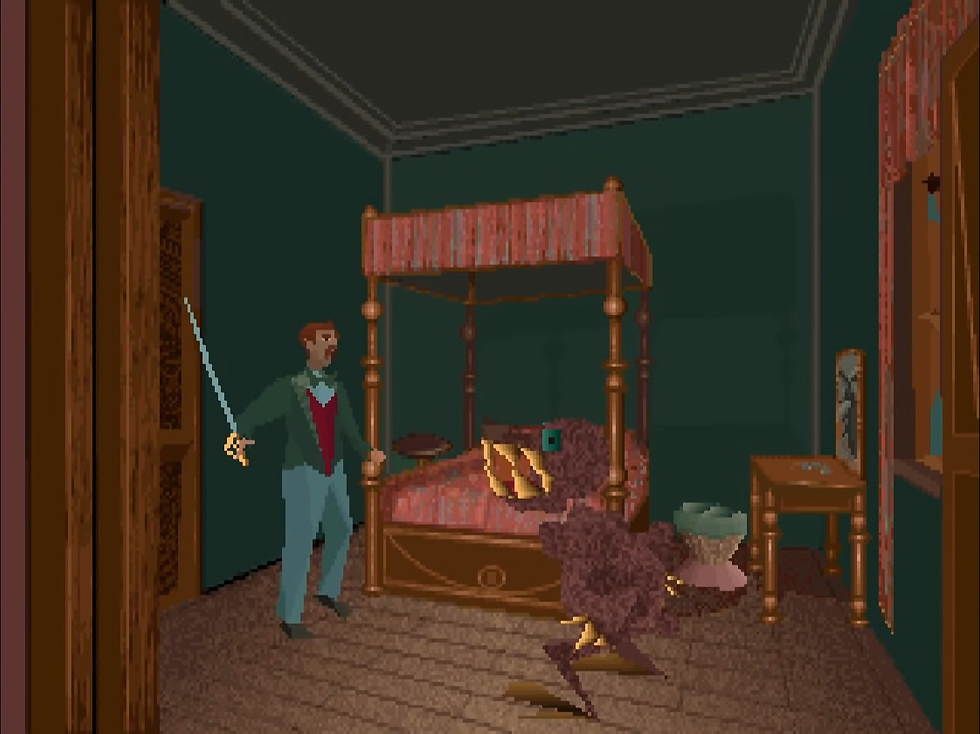
(Krisalis Software. 1992)
Making the pixel shader involved utilizing my personal knowledge combined with referencing a couple tutorials that showed different methods for accomplishing a pixelated effect through post-processing.
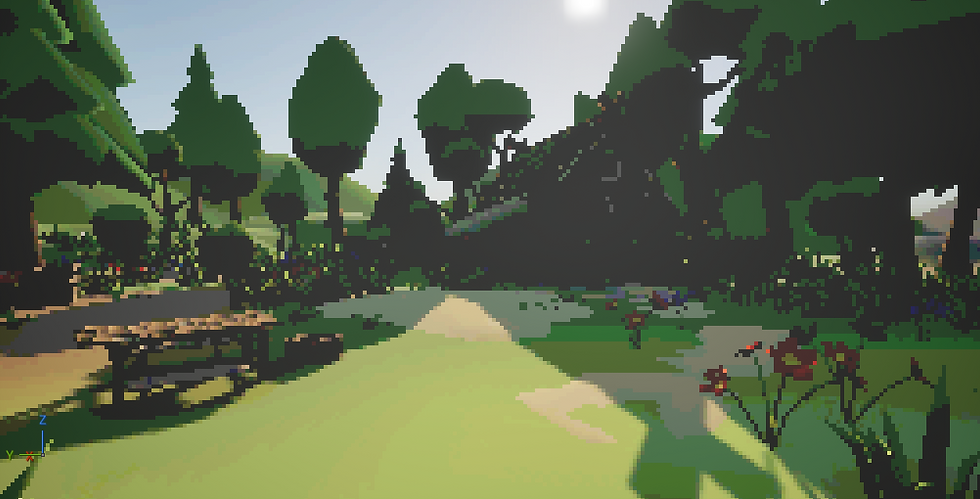
This was by far the simplest shader out of the two. It involved multiplying the Viewport UVs with an adjustable value (named "Pixelation"), which controls how pixelated the scene becomes. A higher value results in larger pixels. This was then fed into the Scene Texture of the 'PostProcessInput0' channel, which references the original game scene.

Additionally, the 'PostProcessInput0' channel was multiplied by another adjustable value named 'Colour Amount' to achieve a 'colour banding' effect. This gave the scene a more retro appearance, although made some silhouettes less clear. This was improved by adjusting the tone mapping in the post-process volume.

Achieving eeriness
A secondary academic source I read during the beginning phase of this study gave insight into how colour properties can be used to control the mood of a scene. This research article, titled "How Color Properties Can Be Used to Elicit Emotions in Video Games" is part of the International Journal of Computer Games Technology. The results of this study found that "links exist between feelings of joy/sadness and environment properties: brightness, value, saturation, chroma, and lightness" (Geslin E, et. al. 2016). The journal contains the graph pictured below, which shows that a lack of visual communication, desaturation, and dark values commonly result in negative emotions.
Since eeriness is a negative emotion often linked with stress and fear, I used this study to inform how I manipulated the colour properties of the post-process styles in an attempt to create a visually eerie scene.

Since the post-process material on its own already achieved an obscured view, my main adjustments were on the colour grading. This involved adjusting the temperature to a cool tone, lowering the saturation, increasing the contrast of the shadows, and then increasing the gamma of the shadows and the mid-tones to ensure the scene was not too dark to see . Dimly let areas will likely contribute to the eeriness, but as this research is intended for use in video games the player still needs to be able to see enough to move around and interact with the gameplay. For this reason I tried to achieve a balance of the two.

After these adjustments were fine-tweaked, I was fairly happy with how the pixel shader turned out. The next blog will cover the creation of the second post-process style - the toon shader.
References
Keiichiro Toyama. (1999). Silent Hill. Konami. [Video Game].
Krisalis Software. (1992). Alone in the Dark. Atari SA. [Video Game].
Pixel Perfect. (2024). Unreal Engine 5 Retro Shader Tutorial | Pixelation & Color Posterization Post Processing Material. YouTube. https://www.youtube.com/watch?v=dUhoCvpDcIw
Ramos. B. (2023). Unreal Engine 5 Shaders and Effects Cookbook - Second Edition. Chap. 9. Packt Publishing.
Reality Adrift Studios. (2024). UE4 | UE5 Tutorial : Retro Pixelated Post Process Material. YouTube. https://www.youtube.com/watch?v=mZ3pwp-C8s4
SFB Games. (2024). Crow Country. [Video Game].


Comments